Hundreds of receipts matched to bank and card statements in minutes, not days.
GST/HST claims protected
Missing GST/HST numbers and other CRA details are flagged before you claim the credit.
Automatic follow-ups
Missing statements and receipts are requested from clients automatically.
Ready when CRA asks
Documents filed by client, fiscal year and project, with their matches and their checks.
Tax documents, read the moment they arrive.
Learn moreShow less
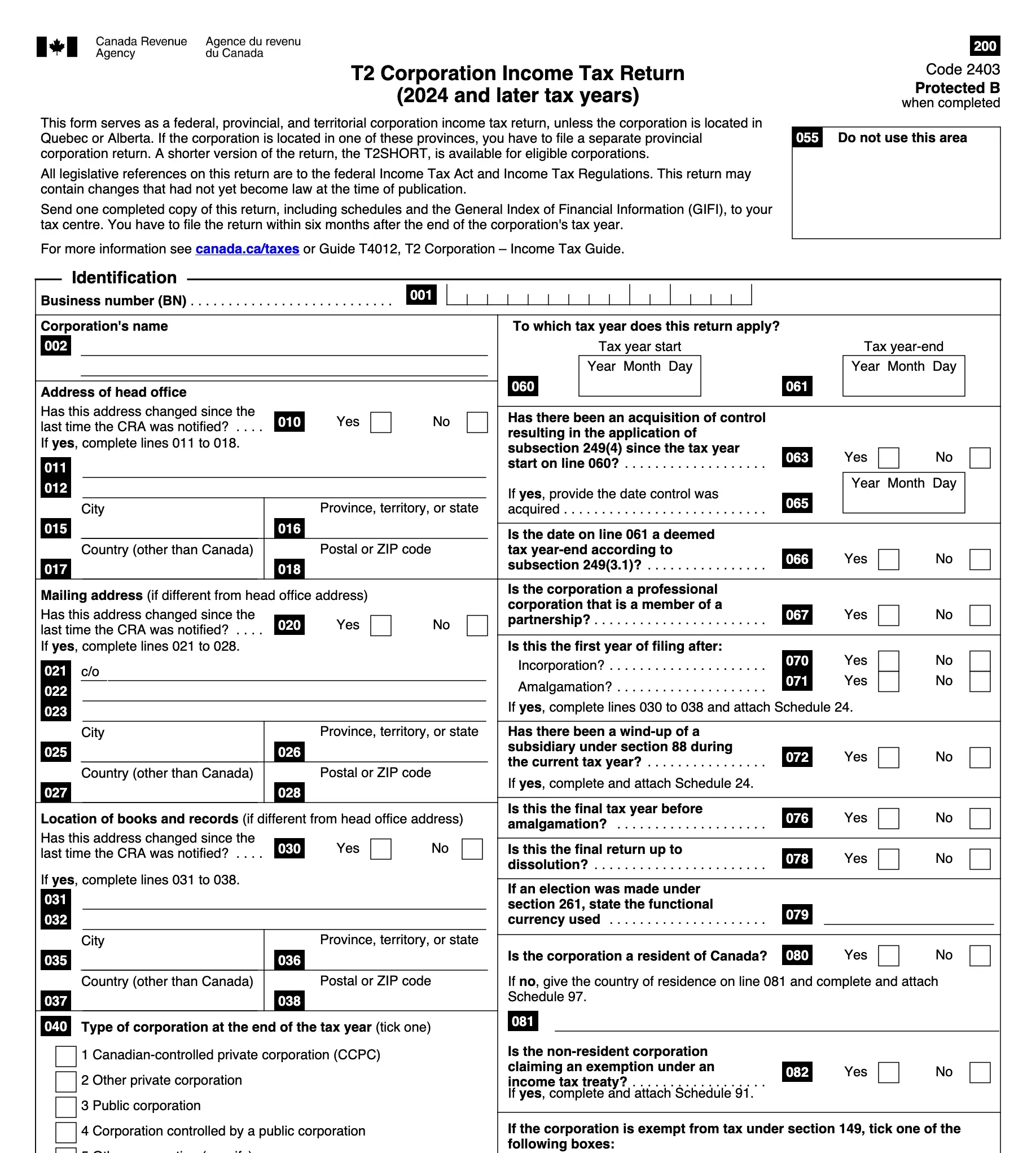
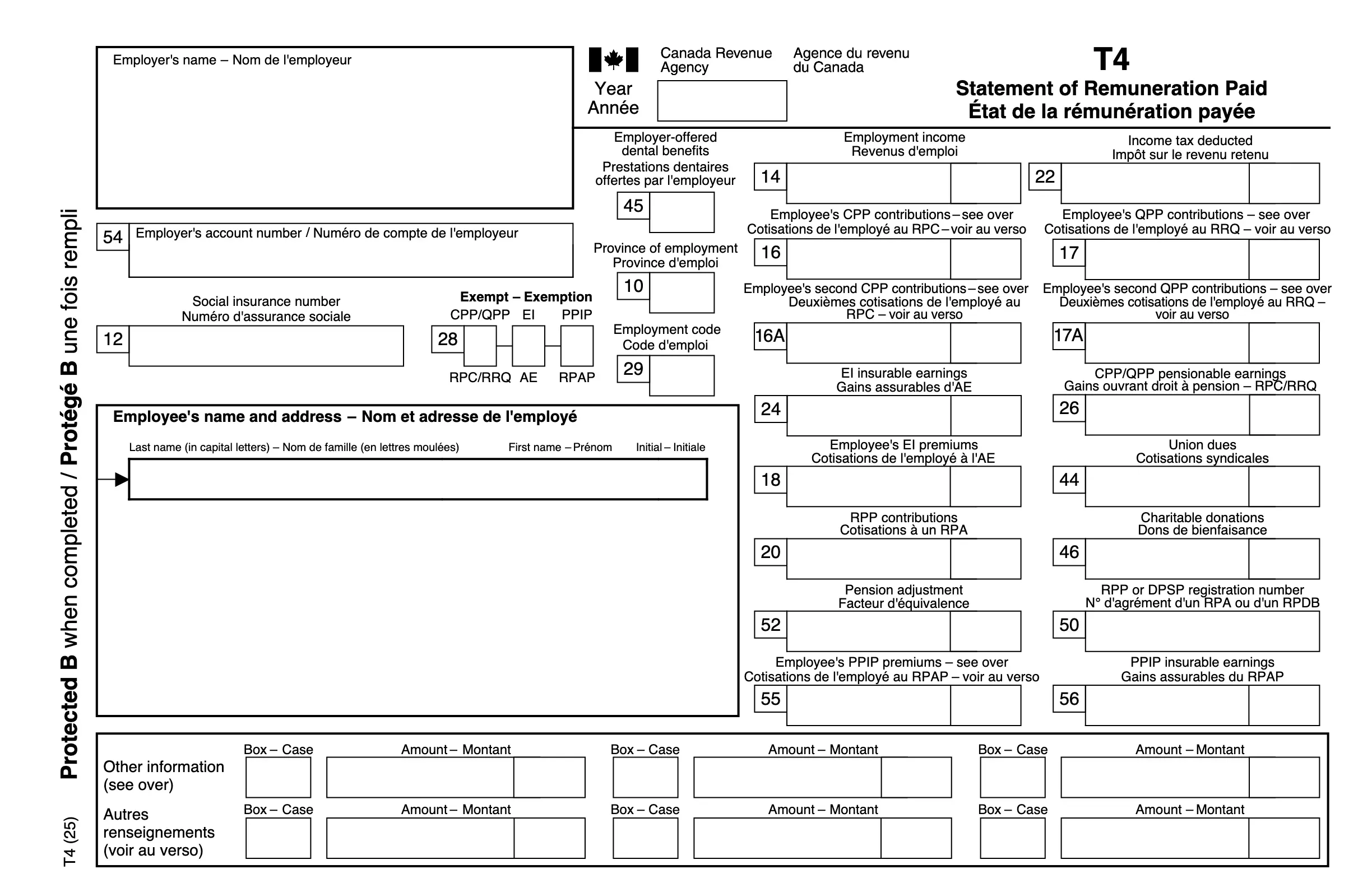
CRA slips, T1 and T2 returns, T2 schedules, bank and credit card statements, receipts and invoices. Each one is recognized, its figures are read where they appear on the page, and it is filed under the right client.
T‑slips, T1 and T2 returns, T2 schedules and Notices of Assessment, read alongside statements, receipts and invoices.
No retyping
Figures are read from their own boxes and lines, with their CRA labels, ready to use.
Organized on arrival
Each file is named, described and placed under the right client and fiscal year.
Duplicates caught
A file sent twice is flagged and set aside, never read or matched twice.
Transactions matched. Receipts checked for CRA.
Learn moreShow less
Bank and credit card transactions are matched to their receipts and invoices, and each receipt is checked for CRA compliance: the details CRA requires at its amount. A faded, incomplete or wrong receipt is flagged while there is still time to ask the client.
CRA complianceLakeview_5531.pdf · $500 and overNot compliant
Supplier namePresent
Document datePresent
Total amountPresent
Supplier GST/HST numberMissing
GST/HST amount or ratePresent
Buyer namePresent
Description of what was boughtPresent
Transactions matched
Bank and card lines are paired with their receipts and invoices automatically, as documents arrive.
Only exceptions to review
Anything that can’t be matched lands in one short list, so your team reviews only what needs attention.
CRA rules, checked
Each receipt and invoice is checked for the details CRA requires to claim the GST/HST at its amount.
GST/HST report, ready
GST/HST paid for the period, line by line, each line one click from its document.
Client documents, collected and filed automatically.
From a phone, an inbox or a secure link, documents are read and filed where they belong, without anyone sorting them.
Learn moreShow less
Clients send documents through a request link or the mobile app, with no password to remember. They get an automatic reply with what is still missing, your team sees which clients still owe documents, and new documents are filed into the projects they belong to.
Costs of opening the new Leslieville store this fall: Ridgeline Builders’ invoices, the kitchen equipment and supplies bought for the store, and its permits.
34 documents · Created Aug 18, 2026 · Updated Sep 3, 2026Sep 12, 2026
DocumentTypeArrived byAdded
IMG_5120.jpgReceipt autoMobile appSep 12, 2026Laura M.
Ridgeline_2207.pdfInvoiceEmail DropSep 3, 2026Omar H.
Store_lease.pdfLegal contractDirect uploadAug 21, 2026Omar H.
Permit_1184.pdfOtherSecure linkAug 19, 2026Laura M.
Sent from a phoneA receipt is photographed and sent from the DocClever™ app.
Read on arrivalType, vendor, date, items and amounts are read as soon as it lands.
Filed in its projectIt joins the right project automatically, because it fits the project’s description.
Secure links and the app
Clients open your secure link with a one-time code sent to their email, or photograph receipts in the DocClever™ app.
Automatic replies
Each upload gets a reply confirming what arrived and listing what’s still needed.
Missing statements spotted
Bank and card statements are checked month by month, and any gap becomes a client request in one click.
Projects by description
Describe a project once, and new documents that fit are added to it, including future uploads.
Your clients’ documents are stored entirely on Canadian soil.
DocClever™ recognizes these 24 types on its own and reads their figures.
Source documents
Receipts, invoices, bank statements, credit card statements, cheques, property tax bills and legal contracts
CRA slips
T3, T4, T4A, T4E, T4RIF, T4RSP, T5 and T5008
Returns
T1, and T2 with Schedules 1, 3, 8, 50, 100, 125 and 141
Do clients need an account to send documents?
No. A request emails your client a private upload link, valid for 14 days. They confirm their email with a six-digit code, then upload. Clients can also email documents to their own Email Drop address, or use the DocClever™ app once you invite them.
How do we see what a client still hasn’t sent?
After your client uploads, DocClever™ checks what arrived against what you asked for and marks the items Received or Still needed. It can then reply to ask for the rest. For bank and card statements, the Coverage check lays out the client’s accounts month by month, and one click drafts a request for the gaps.
What does DocClever™ check on a receipt?
Receipts and invoices are checked for CRA compliance. What a receipt must show depends on its amount.
Any amount
Supplier’s name, the date and the total
From $100
Supplier’s GST/HST number, the GST/HST amount or rate, and each item’s tax status
From $500
Buyer’s name, a description of what was bought, and the terms of payment
The requirements link to section 169 of the Excise Tax Act. GST/HST numbers are checked for their format only; DocClever™ doesn’t look them up with CRA.
What’s left for our team to review?
The bank and card lines DocClever™ couldn’t match. Review unmatched takes you through them one at a time. Pick the right document from a preview, or mark the line exempt with a reason such as a bank fee. Any match DocClever™ made can be undone.
Does DocClever™ replace our tax software?
No. Your team still prepares and files returns in the software it uses today. DocClever™ has no export yet, so you key the totals into the return yourself, with the document behind any HST line one click away.
Who on our team can see a client’s documents?
Your firm’s owners and admins can open any client. Other team members see only the clients you add them to, with the role you choose. A Viewer sees documents, a Contributor can also upload them and move them to the trash, and an Admin can also delete them permanently.
Where are documents stored?
On Canadian soil. Documents and the data read from them are stored in Canada and encrypted in transit and at rest. Read the privacy policy.
Is DocClever™ available in French?
Yes. The workspace and the client upload portal are both in English and French.
Contact us.
Tell us about your firm: how many clients you have and how their documents reach you today. We’ll reply by email.